Overview
I have been a fan of Judson Cowan's board games
for a while now, since backing Deep Regrets
on kick starter. So when I was searching for a project I could use to learn the basics of the Unreal
Engine one of my first thoughts was to implement his simplified version of Deep Regrets:
Shallow Regrets (which I also backed on kickstarter).
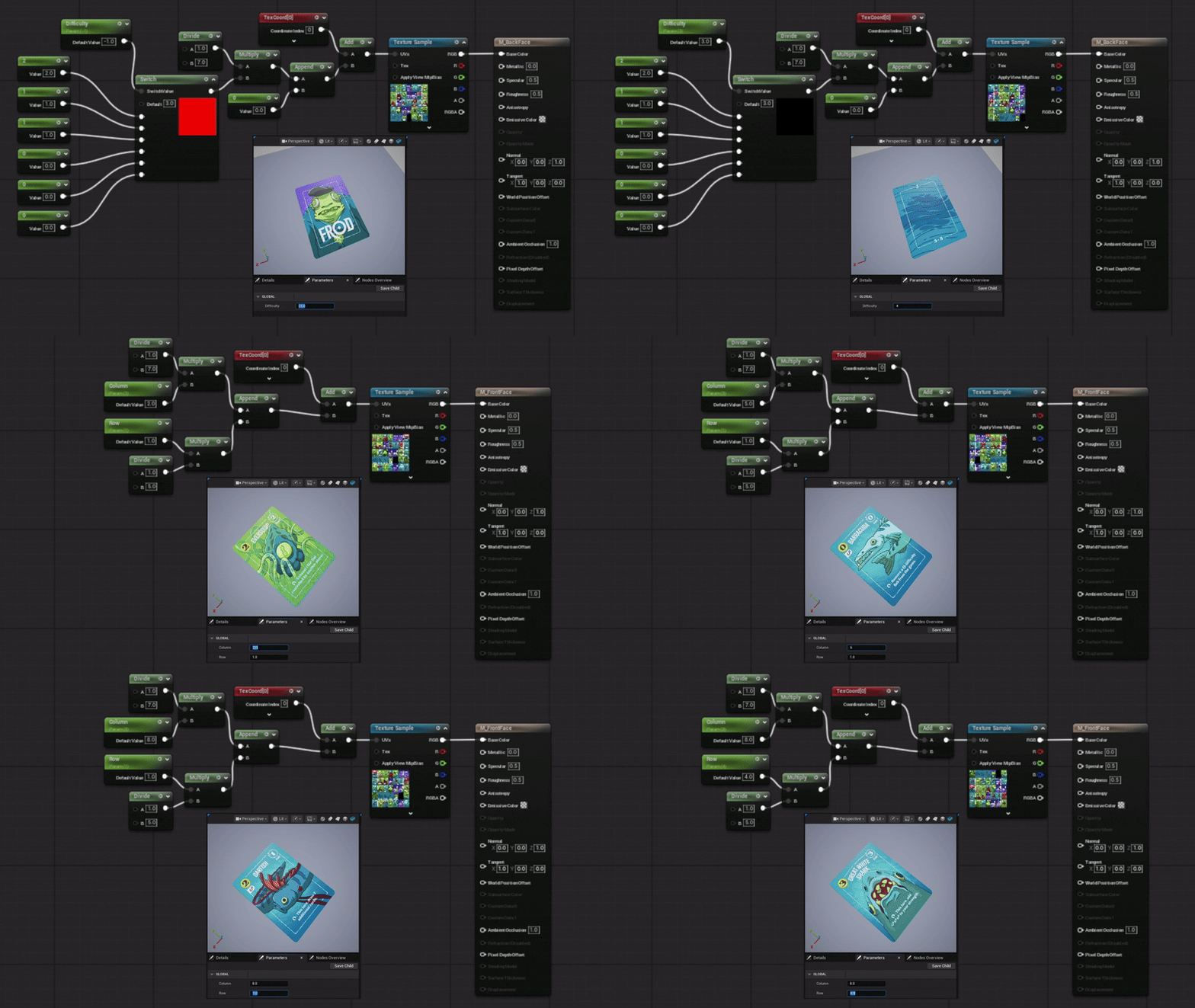
Thanks to backing the project, part of the rewards was a full colour print and play version of the cards, which I used to create the
procedural material used for the card actors. As such I am not able to distribute the executable for this project (I do not own
the copyright for the art or game design).
Data Driven Design
I wanted to implement this project as if I would be re-using the systems I wrote,
as such I came into designing the system with an emphasis on making setting up cards
and abilities simple for designers and require as little code work as possible.
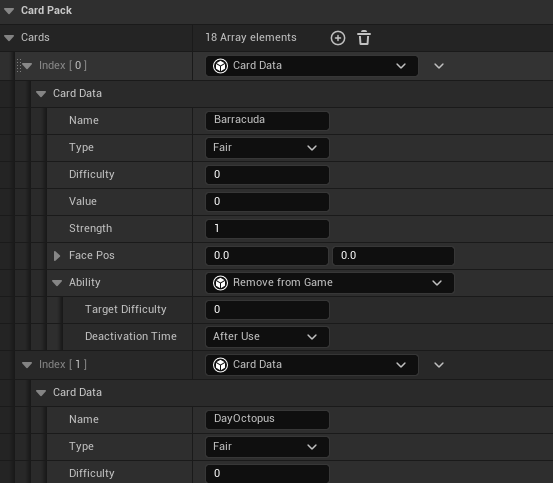
To do this I used a Data Asset (UCardPack) with a an Array of custom UObjects (UCardData).
The card park was then provided to the game mode which used all of the pack's card data to
create card actors with the desired properties.
Interaction
I spent a while deciding what interaction model I wanted and then figuring out how best to implement it.
I ended up with keyboard and mouse support exclusively to simplify the backend input support and reduce development time.
I also setup the player camera to use orthographic projection so that I wouldn't have to worry about card scale
and distance from camera (except for potential z fighting).
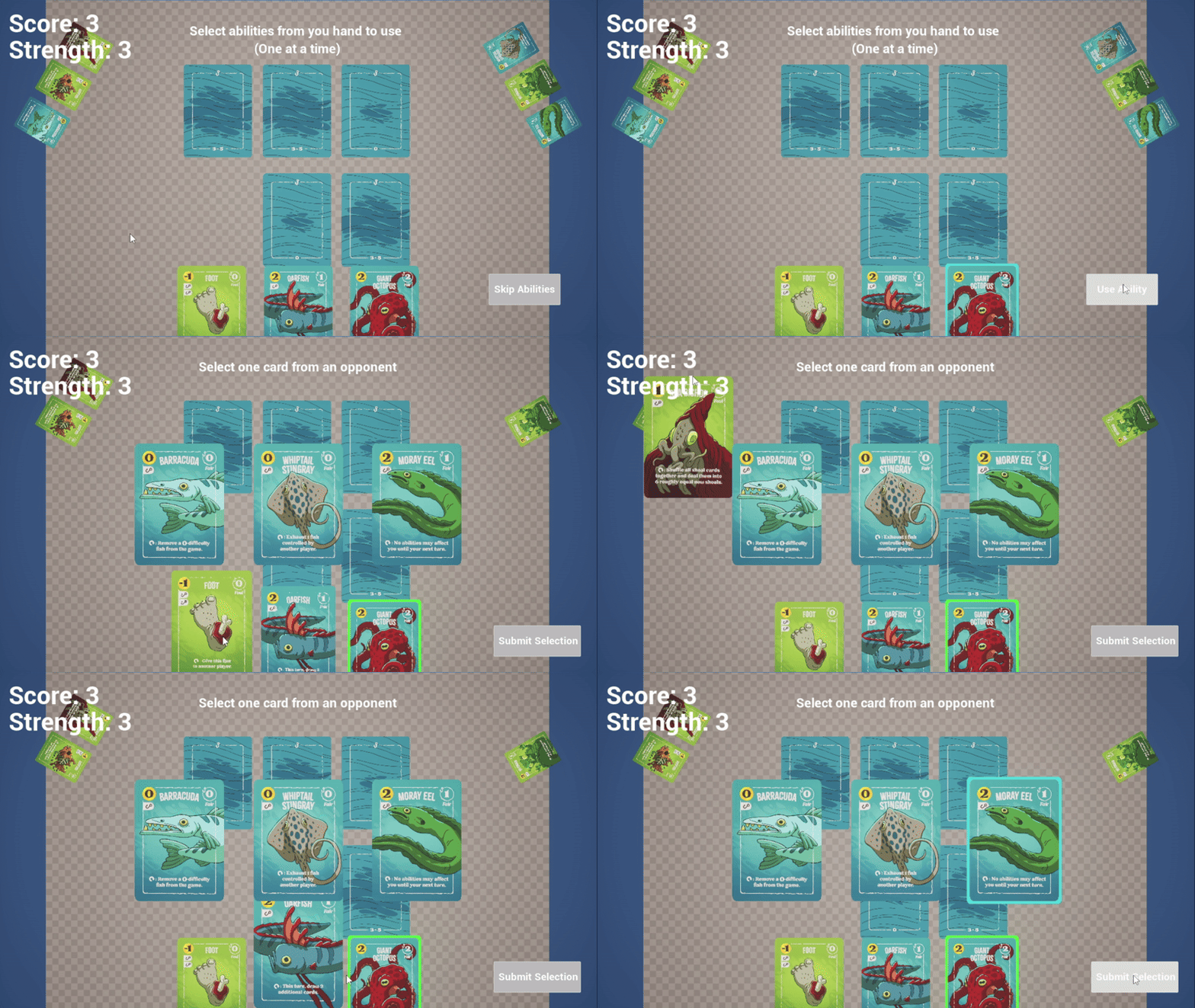
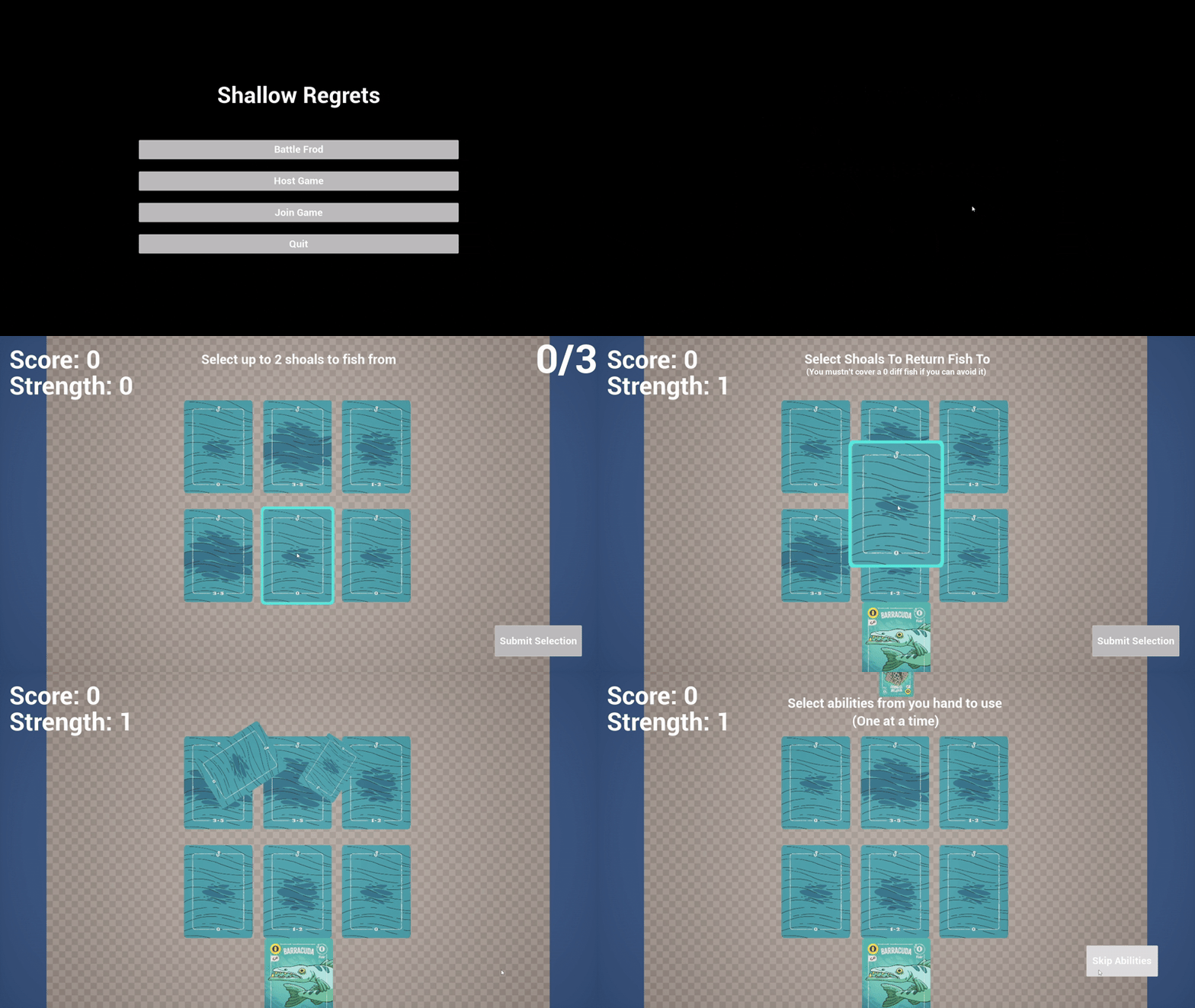
Whenever a card became selectable, it would become 'focused', becoming larger and moving to the center screen.
To detect mouse hover, the PlayerController would 'GetHitResultUnderCursorByChannel',
filtering the results by the desired hover target type (card or card pile) would
then run the appropriate logic to communicate the hover to the player, e.g. hovering a
focused card would highlight said card, while hovering a card in a player's hand
would enlarge the card and ensure its orientation was readable but would not highlight the card.
Turn Logic and Abilities
To handle the logic of running the game I broke the 'Turn' into a series of stages (StartTurn, Ability, ShoalSelection, FishSelection, ThrowBack, EndOfTurn) and implemented a
simple State Machine to handle the flow between these stages with each state having an OnEnter and OnExit function called when entering and exiting said state.
A key aspect of the game is that each card has a unique ability which can be used by owner of each card.
Each ability can only be used once before the card becomes 'Exhausted' preventing its ability from being used again.
The card abilities can be spit into 'themes' e.g. Abilities to select
more shoals during the ShoalSelection stage, or to swap fish with an opponent.
This allowed me to reduce code by using an Ability interface and creating data driven classes for these abilities,
e.g. the DrawMore Ability which takes in the number of aditional shoals to fish from.
To keep a handle on the complexity abilities would add to the turn state machine,
I created a sub-state machine that's activated during the Ability turn stage.
This state machine consisted of the stages: None, SelectAbility, TargetAbility, ExecuteAbility, and End.
This approach cut down on the code duplication setup time considerably,
though I believe I could have done so more had I given myself more time to design and implement the interface and classes.
Networking
As this card game is multiplayer I of course had to network the game so that I could play it with friends.
I learnt a lot about Unreal's network model while implementing this. As I was learning Unreal as I was building
this project, I would definitely structure the replication more neatly, e.g. A lot of the replication and
logic went through the GameState as the GameMode only exists on the listen server.
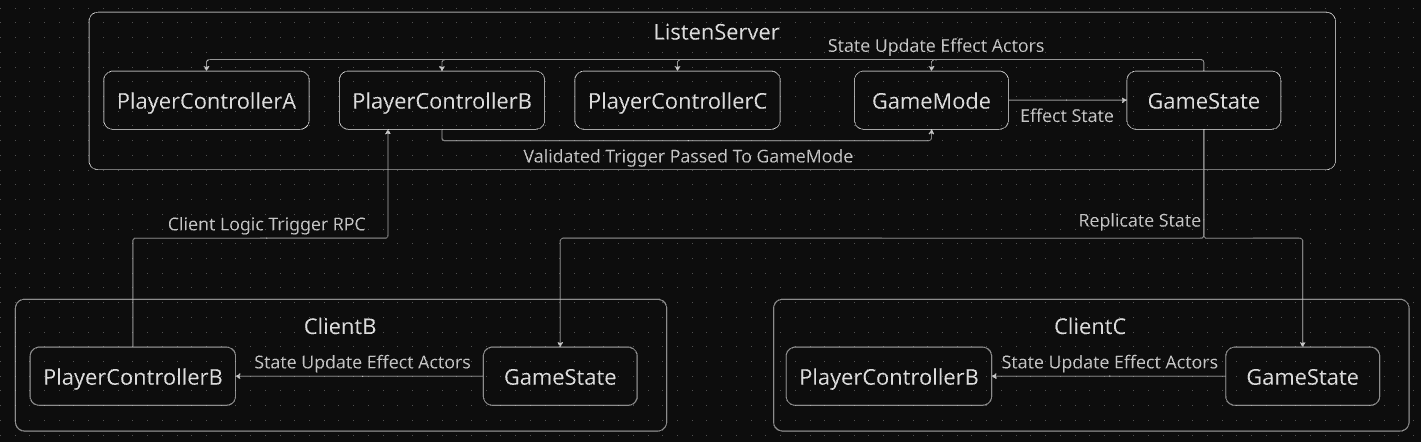
If restarting this project, I would have client to server logic triggers flow from the local player controller
calling a Server RPC (replicated procedure call) which calls logic in the GameMode which in turn operates on the GameState.
Changes to the GameState would then replicate back to the clients with their 'ReplicateWith' callbacks calling handling
functions on the local player controller and other appropriate actors.
Steam
Finally I wanted to be able to play this with my friends over the internet without needing to mess around with port forwarding and passing around IP addresses. Using the Steam online subsystem to solve this problem for me was ideal and after an afternoon of reading the documentation and implementing it, I was delighted to get it working! Of course as this is just a personal project I didn't register the program for its own application ID, so its matchmaking is shared with other programs using the default (free) 'spacewars' application ID.